Explanation
Try the rhyming experiment
Ask Qwen to finish a couplet, inspect an activation, then edit its explanation and compare what it writes.
We’ll ask Qwen to finish a rhyming couplet, inspect an activation from the end of the first line, then edit its NLA explanation and compare the resulting continuations. Start by reading what the explanation actually describes. That will determine the edit we try.
This follows the process in Anthropic’s natural language autoencoder paper. In the paper’s example, the explanation describes a rabbit; changing it to a mouse steers the next line. Our Qwen runs have produced a variety of descriptions, without consistently mentioning a rabbit. We’ll use the same prompt and method, then work with the sample we get.
Build and open Dolittle
Dolittle runs on Linux with an NVIDIA GPU. It has been tested on an RTX 3090 Ti with 24 GB of VRAM. You need Python 3.11 or later, Git, Docker Compose, a compatible NVIDIA driver, and the NVIDIA Container Toolkit configured for Docker. Allow about 45 GB for the model download, plus space for the build and container images.
git clone https://github.com/plainsight-systems/dolittle.git
cd dolittle
python3 scripts/run.py
The launcher builds the application from source, downloads the model weights and checks their hashes. Later launches reuse those files. The initial download is substantial, but rebuilding the application does not download the models again.
Open the full link beneath Open Dolittle in the terminal. Your browser remembers access for that address. If you restart the launcher, use its new link; you can paste it into the page’s connection panel.
Keep the launcher running while you experiment. Your GPU runs the models and your browser displays the results. A browser on another machine works too, using an SSH port forward. The setup documentation covers that arrangement and the model cache options.
Generate the couplet
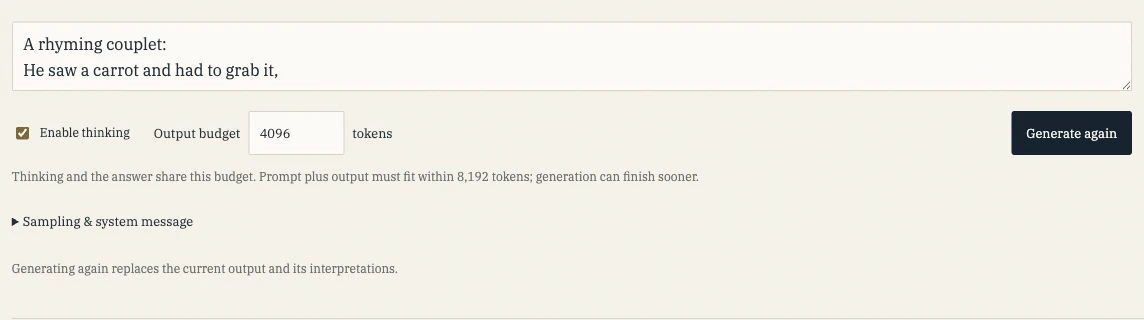
Paste this into the prompt field. Press Enter after the comma so the prompt ends with a newline:
A rhyming couplet:
He saw a carrot and had to grab it,
Leave Enable thinking checked and the output budget at 4,096 tokens, then choose Generate. The text streams into separate Thinking and Answer sections. They share the output budget, so a small budget can stop the model before it reaches the poem.
Qwen carries a state vector for each token through its transformer blocks. Each block adds the results of attention and its feed-forward network to that state. This accumulated state is called the residual stream.
Dolittle saves the 4,096-value vector at the output of block 24, after both additions. That is the activation we ask the NLA to describe. The capture sits after the block’s SwiGLU feed-forward computation and residual addition; individual gate outputs stay inside the block.
Read an explanation
Open Prompt and select the end of the couplet. The nearby token strip shows spaces and newlines. Use its arrows to select the token containing the newline after “grab it,”. Follow the text rather than a fixed position number, since token boundaries depend on the tokenizer.
The selected vector comes from the moment Qwen has processed that token. The context shown beside it ends at the same position. This puts us just after the first line, where we want to look for a possible rhyme.
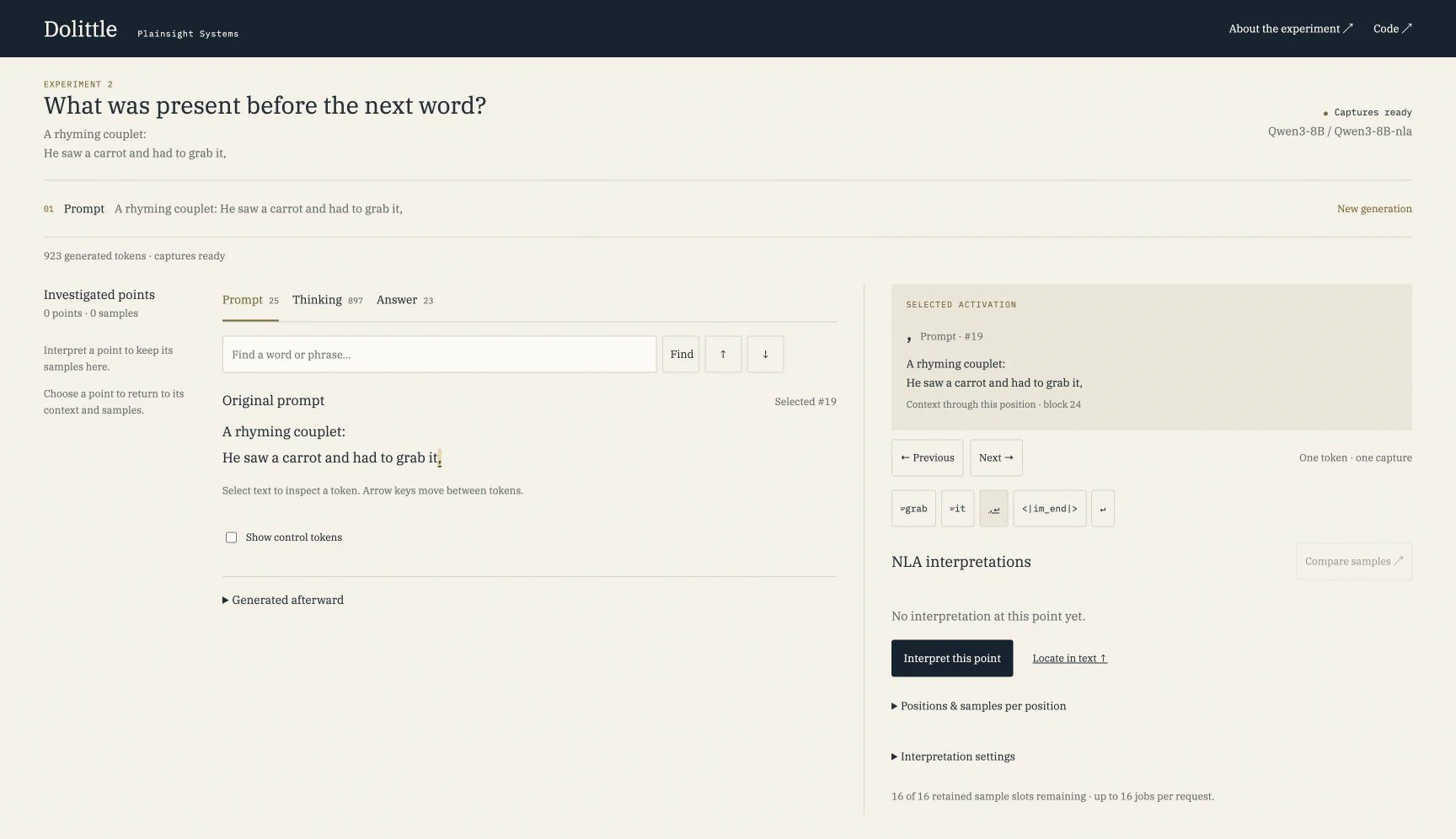
Generate an interpretation. The NLA’s activation verbalizer takes the vector and produces a text explanation. Qwen and the verbalizer have separate weights; the loading message shows when Dolittle switches between them on the GPU.
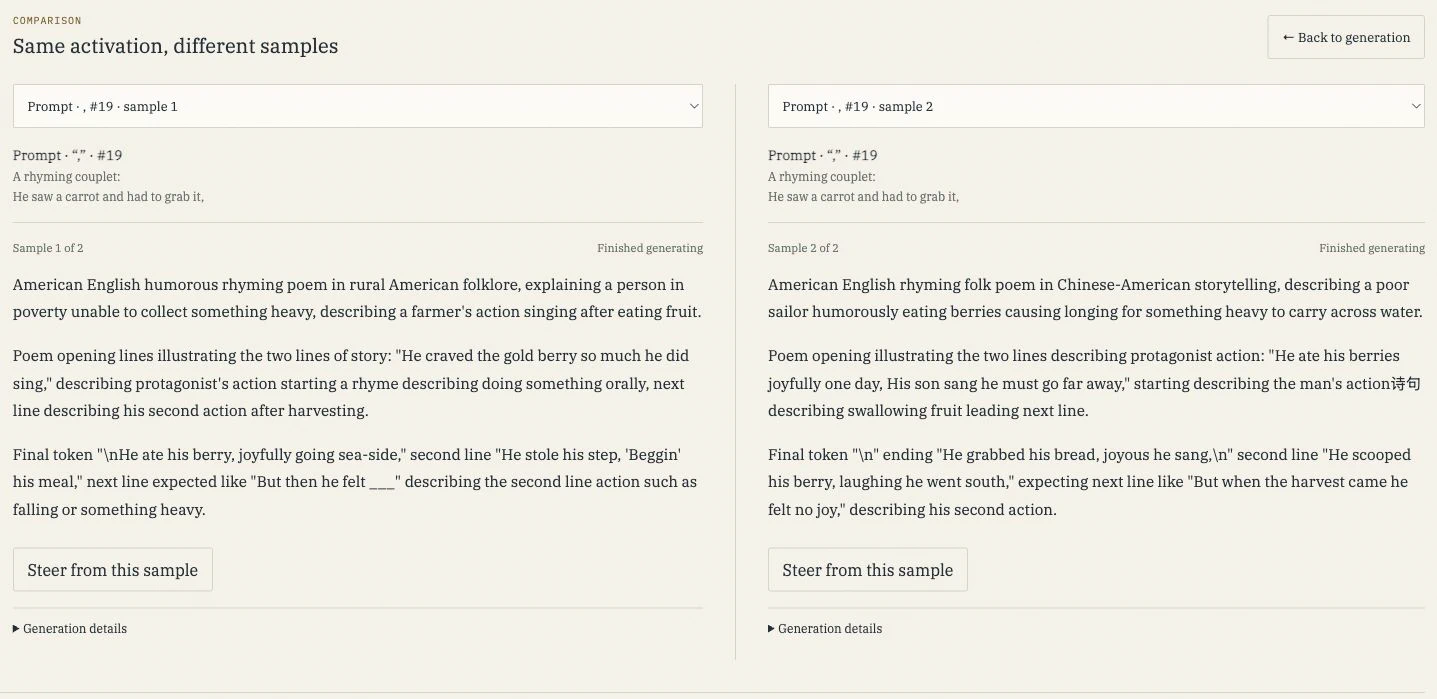
Read what the sample says about the line, its subject and an expected ending. In our investigations, some samples described a carrot or a rabbit. Others focused on wording such as “wit” or “bit,” and many added invented classrooms, characters and locations. Those samples came from different token positions, giving us different starting points for an edit.
Choose Generate another sample to get another description of the same vector. The samples stay under their position in Investigated points. Compare samples opens two side by side, so you can see what repeats and what changes.
Edit what the sample describes
Choose one idea in the explanation to change. If it describes a carrot, try changing that food to cheese. If it describes a rabbit, try changing the animal to a mouse. You can also change a described action or expected ending. Keep the rest of the explanation intact so the comparison follows one deliberate edit. If the sample gives you nothing useful to edit, inspect another sample or token position.
On the completed sample, choose Steer from this sample. The original stays visible while you edit a copy. Change related mentions consistently throughout the explanation.
In the captured run below, the first sample describes fruit and a “gold berry.” The edit changes those food references to cheese, leaving the rest of the description intact.
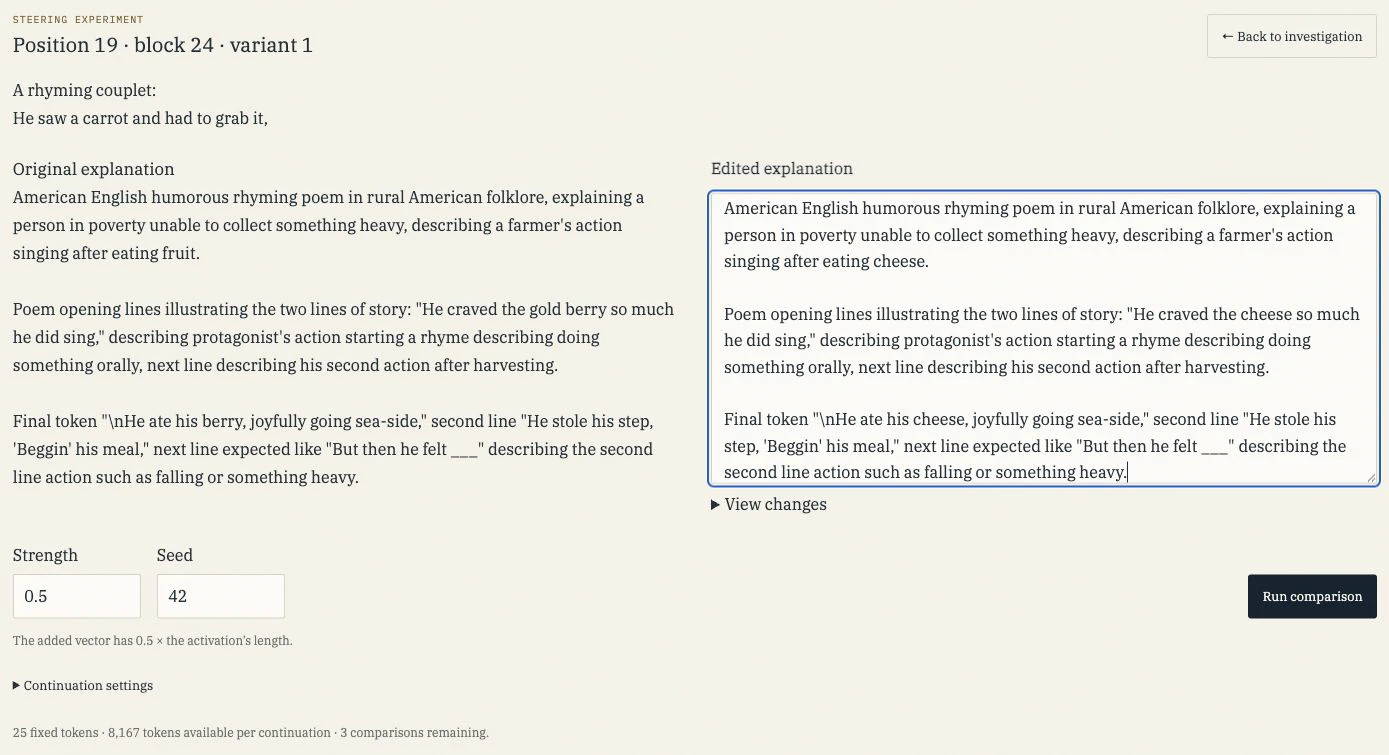
Anthropic’s example uses rabbit → mouse, habit → house, and carrots → cheese together to change the animal, rhyme and food. Choose substitutions that fit the ideas in your sample.
Leave Strength at 0.5 and choose Run comparison. Dolittle uses the NLA’s second component, the activation reconstructor (AR), to turn each explanation back into a vector. It subtracts the original reconstruction from the edited one to find the direction of the change:
edit direction = AR(edited explanation) − AR(original explanation)
That direction is added to Qwen’s activation at the selected token and block. Strength controls the size of the addition. At 0.5, the added vector has half the length of the original activation. The edit happens once, then Qwen continues generating text normally.
Unsteered runs first, followed by Steered. Both start from the same text and use the same seed and sampling settings. Each column shows the thinking and answer produced from there. Compare the poem’s subject, wording and rhyme. Did the idea you edited appear in the steered version? Did anything else change, or did both versions produce the same ending? Then read back through the thinking to see how each version arrived at it.
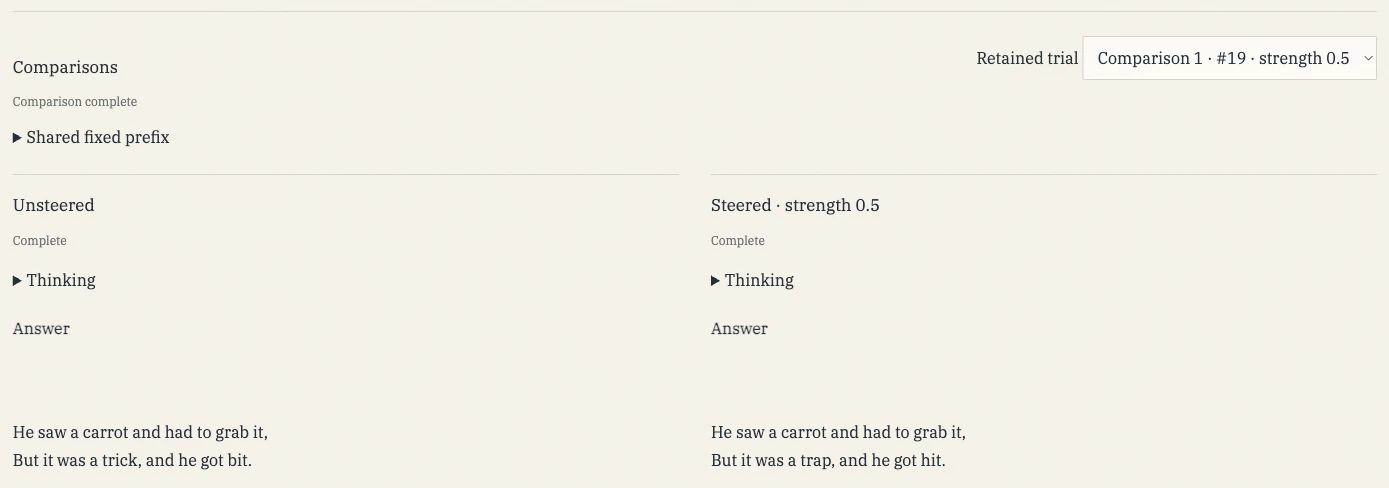
Under Continuation settings, you can change how much new text to generate and how it is sampled. Shared fixed prefix shows the text both versions start from. When you select a prompt token, that includes the whole prompt. When you select a generated token, it includes the text through that token. Each version builds its own attention cache from that shared text.
Strength 0 adds nothing. Both versions then produce the same token sequence with the same settings and seed. Try it if you want to see the comparison with no edit applied.
Try another edit
Completed runs appear under Comparisons. Open one to return to its edit, settings and output. Inside the steering view, the Retained trial selector also lets you choose a previous comparison or start a New comparison.
Keep the token position and seed fixed while you change the edit or its strength. Then try a nearby position. That lets you explore both how the edit changes the poem and where in the text it has an effect.
Each experiment holds up to four comparisons and sixteen interpretation samples. Refreshing the page restores them from the running service. Starting a new generation or restarting the service clears the experiment, so copy anything you want to keep first. File export is not implemented yet.